


- 60 sec Unfold, plug in, done
- 1 cable USB-C picture and power
- Mac + Windows Works with both
- 12 months UK warranty
Overview
Turn your laptop into a four-screen command centre. Three 18.5-inch Full HD IPS panels sit left, right and above your laptop, all driven by a single USB-C cable.
The VXS999 18.5 inch quad laptop screen extender is our biggest setup: three 1920x1080 IPS screens, a top screen that tilts through 300° and side screens that rotate a full 360° for presenting, portrait coding or sharing with a colleague.
| Model | VXS999 |
| Screens | 3 x 18.5 inch (left, top, right) |
| Resolution | 1920x1080 Full HD per screen |
| Display Ratio | 16:9 |
| Panel Type | IPS |
| Screen Rotation | Top 0-300°, left/right 0-360° |
| Product Colour | Dark Grey |
| Product Size | 450 x 273 x 43.8 mm |
| Weight | 4 kg |
| Compatible Laptops | 12"-18.5" |
| Compatible Systems | Windows, macOS (MacBook 2019 or later) |
| Interfaces | USB-C (video and power), USB-C (power only) |
- Three 18.5 inch 1080p IPS panels with wide viewing angles
- Run email, a video call and your main work side by side without alt-tabbing
- Portrait, landscape, mirror and extended display modes
- Connect with a single USB-C cable carrying video and power, or the dual USB-A cable for older laptops
- A USB-C PD power supply on the power-only port keeps all three screens bright and stable
- Independent brightness buttons for the left, top and right screens
- Windows installs the display driver automatically when online; on a Mac, install it once from the included USB drive
An integrated adjustable back stand carries the screens and rests on the desk behind your laptop, so it stays stable and the viewing angle is easy to set. When you are done it folds flat for the carry bag.
- 12-month VueXtend warranty
- CE / RoHS / FCC certified
- UK support from the VueXtend team
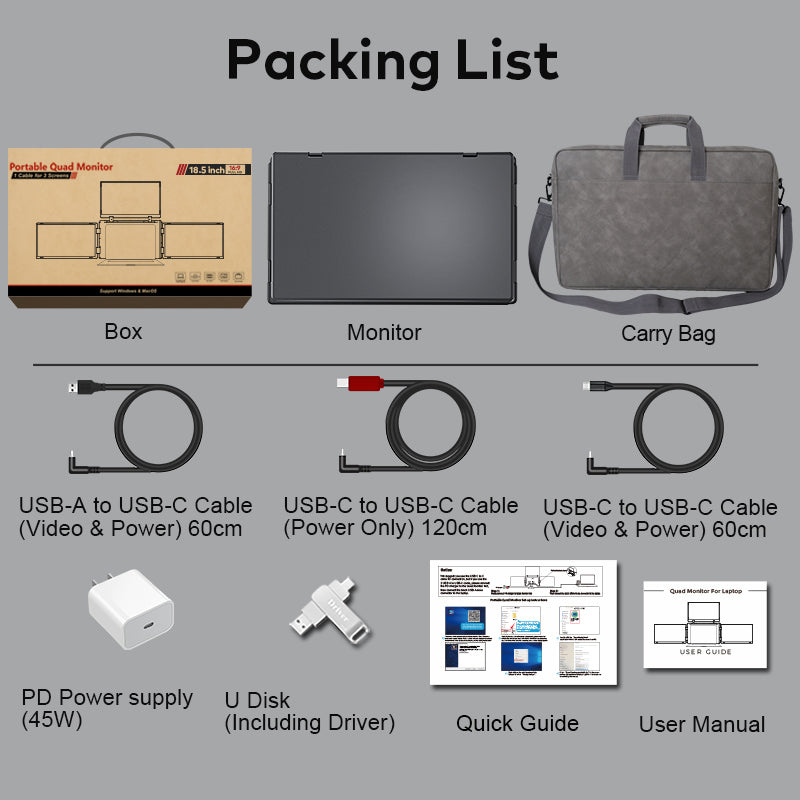
- Quad screen extender x 1
- USB-C to USB-C cable (video and power, 60cm) x 1
- Dual USB-A to USB-C cable (video and power) x 1
- USB drive with driver x 1
- User manual x 1
- Carry bag x 1
Specifications
- Range
- Quad
- Screen size
- 18.5″
- Colour
- Dark Grey
- Connection
- USB-C (picture and power), USB-A with driver
- Works with
- Windows and macOS
- Mounting
- Freestanding kickstand, no clamps
- Warranty
- 12 months
- Certification
- CE, RoHS, FCC
- Model code
- VXS999
Compatibility
Works with Windows and macOS laptops that have a USB-C port with video output. Some MacBooks with base M-series chips need a free driver to run both screens. Older laptops with USB-A only can connect with the driver too.
Not sure? Send us your laptop model and we will confirm.
Setup
-
Stand it up
Unfold the frame and stand it behind your laptop on its built-in kickstand. Nothing clips or sticks to your laptop.
-
Plug in one cable
A single USB-C cable carries video and power. Older laptop? Use the included USB-A cable and quick driver.
-
Swing out and work
Fold the screens out, angle them how you like and drag your windows across. That's it.
Compare the Quad range
| Model | Screen size | Display | Colour | Price | View |
|---|---|---|---|---|---|
 14" FHD Quad Screen Laptop Extender Pro with 300-degree flip screens | 14″ | – | Dark Grey | £375 | View 14" FHD Quad Screen Laptop Extender Pro with 300-degree flip screens |
 14" FHD Quad Screen Laptop Extender with 180-degree top screen | 14″ | – | Silver | £375 | View 14" FHD Quad Screen Laptop Extender with 180-degree top screen |
 16" FHD Quad Screen Laptop Extender Pro with 300-degree top screen | 16″ | – | Dark Grey | £425 | View 16" FHD Quad Screen Laptop Extender Pro with 300-degree top screen |
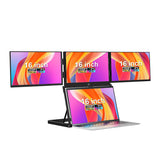 16" FHD Quad Screen Laptop Extender with 11-position adjustable stand | 16″ | Full HD | Black | £499 | View 16" FHD Quad Screen Laptop Extender with 11-position adjustable stand |
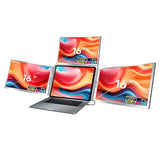 16" FHD Quad Screen Laptop Extender with 16:10 screens | 16″ | – | Silver | £425 | View 16" FHD Quad Screen Laptop Extender with 16:10 screens |
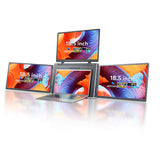 18.5" FHD Quad Screen Laptop Extender with three 360-degree screens | 18.5″ | – | Dark Grey | £499 | Viewing |
The smarter setup
Laptop screen extender vs portable monitor vs desk monitor
Desk monitors don't travel. Single portable monitors give you one extra screen and nowhere to put it. VueXtend gives you two, set up around the laptop you already own.
| Feature | VueXtend | Portable monitor | Desk monitor |
|---|---|---|---|
| Extra screens | 2 (3 with Quad) | 1 | 1 |
| Two screens either side of your laptopOne fold-out frame, one cable | Yes | No | No |
| Single-cable setup | Yes | Yes | No |
| Set-up time | 60 seconds | 2–5 minutes | Desk install |
| Fits in a laptop bag | Yes | Yes | No |
| Swivel to share with clients | Yes | No | No |
FAQ
Laptop screen extender FAQs
Everything you need to know before you order.
Still not sure?
Tell us your laptop model and we'll recommend the right VueXtend. Our UK team replies within one working day.
Ask our teamWill VueXtend fit my laptop?
Almost certainly. The Air 14 fits 12″ to 16.5″ laptops, the Pro 15.6 fits 15″ to 17.3″ and the Max 18.5 fits 12″ to 18.5″. VueXtend stands on its own built-in kickstand, so nothing clips, clamps or sticks to your laptop.
Does it work with my MacBook?
Yes. VueXtend works with macOS (Apple silicon M1 to M4 and Intel) and Windows, plus Linux and ChromeOS on the Air 14. Some MacBooks with base M-series chips only support one external display natively, so to run both screens you simply install the free driver included in the box. It takes about two minutes.
Not sure about your model? Ask our team or read our MacBook screen extender guide.
Will the weight strain my laptop's hinge?
No. VueXtend stands on its own built-in kickstand, so nothing clips, clamps or sticks to your laptop. No weight sits on your laptop or its hinge, and you can tilt your laptop screen just as you normally would.
Do I need a separate power supply?
Usually not. On most USB-C laptops one cable carries both video and power. If your laptop's USB-C port can't supply enough power, or you want maximum brightness, plug in the included power cable.
How quickly will it arrive?
Orders placed before 2pm on a working day are dispatched the same day. UK delivery is free and usually takes 1 to 3 working days, with tracking on every order.
What if it's not right for me?
Try it for 30 days. If you're not completely happy, send it back for a full refund. Every VueXtend is also covered by a 12-month warranty.
Do you offer business pricing and VAT invoices?
Yes. Every order comes with a VAT invoice, and we offer volume pricing from 5 units. Contact our business team for a quote within one working day.