


- 60 sec Unfold, plug in, done
- 2 cables 2 video ports required
- Mac + Windows Works with both
- 12 months UK warranty
Overview
Two 16-inch 2.5K QHD 2560x1600 IPS side screens in a 16:10 ratio that rotate 360°, with an integrated back panel for 12-18.5 inch laptops. USB-C and Mini HDMI turn your laptop into a mobile workstation.
The VXQ5S 16 inch screen extender turns your laptop into a three-screen workstation with crystal-clear 2560x1600 (2.5K QHD) resolution, a 16:10 IPS wide screen and plug-and-play connectivity.
| Model | VXQ5S |
| Screen Size | 16 inch |
| Resolution | 2560x1600 (2.5K QHD) |
| Display Ratio | 16:10 |
| Panel Type | IPS |
| Viewing Angle | 178° |
| Colour Gamut | 100% sRGB |
| Refresh Rate | 60 Hz |
| Response Time | 25ms |
| Brightness | 250 nits |
| Contrast Ratio | 1000:1 |
| Backlight | LED |
| Rotation | Side screens rotate 360° |
| Colour | Silver |
| Product Size | 389 x 246 x 39.6 mm |
| Compatible Laptops | 12"-18.5" |
| Compatible Systems | macOS (M1/M2/M3/M4/M5 Pro/Max), Windows, Android, Linux, Chromebook, Surface, Switch, Xbox, PS4/5 |
| Interfaces | USB-C (Full Function), Mini HDMI |
- Experience crystal-clear detail with 2560x1600 QHD resolution
- Compared with standard FHD (1920x1080), the 2.5K QHD panel delivers a sharper and more detailed image with more desktop space and finer text
The IPS panel provides consistent, accurate visuals from wide angles, and the 178° visual range keeps the picture clear and vivid whether you view it head-on or from the side.
The 16:10 screen ratio offers about 11% more display area than a conventional 16:9 screen, giving you more visual space and a more comfortable multitasking experience across documents, timelines and trading charts.
- Both the left and right screens support 360° rotation for flexible viewing and sharing
- Easy to fold with stepless angle adjustment (0-245° / 0-205°)
- Please note: if you rotate a screen backward, you need to manually adjust the screen orientation in the laptop display settings
- Applies to 12"-18.5" laptops with an integrated back panel for stable desk placement
- Supports macOS (M1/M2/M3/M4/M5 Pro/Max chips); the base M1/M2/M3 chips are not supported
- Compatible with Windows, macOS, Android, Linux, Chromebook, Surface, Switch, Xbox and PS4/5
- Menu button with dedicated Brightness + / Brightness - controls
- USB-C (full function) port for video and power delivery with a single cable
- Mini HDMI interface for wider device connectivity
The stepless adjustable stand offers extra support to the tri-screen setup, and the visual angle can be adjusted smoothly by extending the stand for a stable and comfortable viewing position.
With a compact folding structure, it slips easily into your bag and becomes a mobile workstation whenever and wherever you need it.
- 12-month VueXtend warranty
- CE / RoHS / FCC certified
- UK support from the VueXtend team
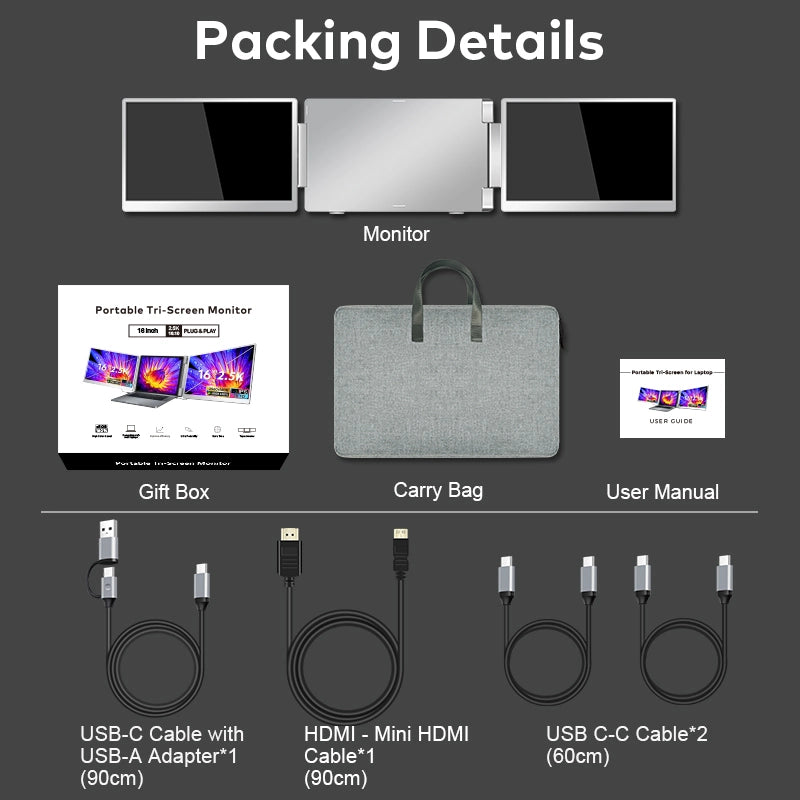
- Screen extender x 1
- USB-C to USB-C cable x 2 (60cm / 90cm)
- HDMI to Mini HDMI cable x 1
- USB-A adapter x 1
- User manual x 1
- Carry bag x 1
Specifications
- Range
- Tri
- Screen size
- 16″
- Display
- 2.5K QHD
- Colour
- Silver
- Connection
- USB-C (picture and power), USB-A with driver
- Works with
- Windows and macOS
- Mounting
- Freestanding kickstand, no clamps
- Warranty
- 12 months
- Certification
- CE, RoHS, FCC
- Model code
- VXQ5S
Compatibility
Works with Windows and macOS laptops that have a USB-C port with video output. Some MacBooks with base M-series chips need a free driver to run both screens. Older laptops with USB-A only can connect with the driver too.
Not sure? Send us your laptop model and we will confirm.
Setup
-
Stand it up
Unfold the frame and stand it behind your laptop on its built-in kickstand. Nothing clips or sticks to your laptop.
-
Plug in one cable
A single USB-C cable carries video and power. Older laptop? Use the included USB-A cable and quick driver.
-
Swing out and work
Fold the screens out, angle them how you like and drag your windows across. That's it.
Compare the Tri range
| Model | Screen size | Display | Colour | Price | View |
|---|---|---|---|---|---|
 14" 2.5K QHD Laptop Screen Extender with 360-degree rotatable side screen | 14″ | 2.5K QHD | Silver | £299 | View 14" 2.5K QHD Laptop Screen Extender with 360-degree rotatable side screen |
 14" FHD Laptop Screen Extender with 360-degree rotatable side screen - Black | 14″ | Full HD | Black | £249 | View 14" FHD Laptop Screen Extender with 360-degree rotatable side screen - Black |
 14" FHD Laptop Screen Extender with 360-degree rotatable side screen - Silver | 14″ | Full HD | Silver | £249 | View 14" FHD Laptop Screen Extender with 360-degree rotatable side screen - Silver |
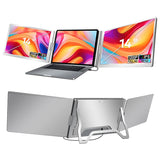 14" FHD Portable Tri-Screen Monitor with 360-degree side screens | 14″ | Full HD | Silver | £299 | View 14" FHD Portable Tri-Screen Monitor with 360-degree side screens |
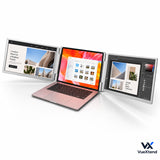 16" 2.5K QHD Laptop Screen Extender with 360-degree rotatable side screens | 16″ | 2.5K QHD | Silver | £325 | Viewing |
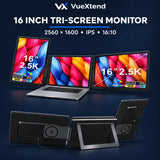 16" 2.5K QHD Triple Laptop Screen Extender with detachable screens | 16″ | 2.5K QHD | Black | £349 | View 16" 2.5K QHD Triple Laptop Screen Extender with detachable screens |
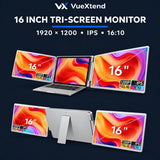 16" FHD Laptop Screen Extender with 360-degree rotatable side screens | 16″ | Full HD | Silver | £275 | View 16" FHD Laptop Screen Extender with 360-degree rotatable side screens |
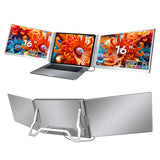 16" FHD Portable Tri-Screen Monitor with 360-degree side screens | 16″ | Full HD | Silver | £325 | View 16" FHD Portable Tri-Screen Monitor with 360-degree side screens |
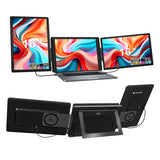 16" FHD Triple Screen Laptop Extender with detachable screens | 16″ | Full HD | Black | £299 | View 16" FHD Triple Screen Laptop Extender with detachable screens |
The smarter setup
Laptop screen extender vs portable monitor vs desk monitor
Desk monitors don't travel. Single portable monitors give you one extra screen and nowhere to put it. VueXtend gives you two, set up around the laptop you already own.
| Feature | VueXtend | Portable monitor | Desk monitor |
|---|---|---|---|
| Extra screens | 2 (3 with Quad) | 1 | 1 |
| Two screens either side of your laptopOne fold-out frame, one cable | Yes | No | No |
| Single-cable setup | Yes | Yes | No |
| Set-up time | 60 seconds | 2–5 minutes | Desk install |
| Fits in a laptop bag | Yes | Yes | No |
| Swivel to share with clients | Yes | No | No |
FAQ
Laptop screen extender FAQs
Everything you need to know before you order.
Still not sure?
Tell us your laptop model and we'll recommend the right VueXtend. Our UK team replies within one working day.
Ask our teamWill VueXtend fit my laptop?
Almost certainly. The Tri 14 fits 12″ to 16.5″ laptops, the Tri 16 fits 13″ to 17.3″ and the Quad 18.5 fits 13″ to 18.5″. VueXtend stands on its own built-in kickstand, so nothing clips, clamps or sticks to your laptop.
Does it work with my MacBook?
Yes, depending on your chip. VueXtend works with all M4 and later MacBooks, M1, M2 and M3 Pro and Max models, and Intel MacBooks with USB-C or Thunderbolt 3. MacBooks with a base M1, M2 or M3 chip only support one external display on their own, so they need a model that runs extra screens through the driver included in the box. See every model compatible with base M1, M2 and M3 MacBooks.
Not sure about your model? Ask our team or read our MacBook screen extender guide.
Will the weight strain my laptop's hinge?
No. VueXtend stands on its own built-in kickstand, so nothing clips, clamps or sticks to your laptop. No weight sits on your laptop or its hinge, and you can tilt your laptop screen just as you normally would.
Do I need a separate power supply?
Usually not. On most USB-C laptops one cable carries both video and power. If your laptop's USB-C port can't supply enough power, or you want maximum brightness, plug in the included power cable.
How quickly will it arrive?
Orders placed before 2pm on a working day are usually dispatched the same day. UK delivery is free and usually takes 1 to 3 working days, with tracking on every order. Some items may have longer delivery times. Estimated delivery times will be displayed in Checkout.
What if it's not right for me?
Try it for 30 days. If you're not completely happy, send it back for a full refund. Every VueXtend is also covered by a 12-month warranty.
Do you offer business pricing?
Yes. We offer volume pricing from 3 units. Contact our business team for a quote within one working day.